
Agile Networks Blog
Agile Networks has been serving the Prospect Park area since 2004, providing IT Support such as technical helpdesk support, computer support, and consulting to small and medium-sized businesses.


Back in 2020, setting up remote work was an act of pure survival. Years later, many businesses still face the exact same daily technical headaches. Remote and hybrid work should not feel like an uphill battle for team members.
If a hybrid setup feels clunky, it usually boils down to three distinct technical friction points that need to be addressed directly.
0 Comments

Internal communication breakdown is one of the biggest hidden costs in a growing business. Disconnected files and fragmented email chains directly translate to duplicated efforts, missed deadlines, and lost revenue. When your team spends hours every week just trying to locate the information they need to do their jobs, your profitability takes a hit.
Let’s look at how you can stop tracking down files and actually get back to productive work.

Throwing new technology at an untrained workforce creates frustration, tanks morale, and wastes money. Business owners frequently assume that buying advanced, AI-driven tools automatically makes a business faster, smarter, and more efficient. It does not. When technology changes, employees must change with it, which requires a deliberate investment in workforce reskilling.

Most business owners believe that more security naturally means less speed. They accept a clunky user experience because they feel that’s the price of safety. However, this exposes a dangerous paradox: When security is too difficult to use, your team becomes less secure. If it takes ten minutes and three different devices to log in, your employee won’t work harder—they’ll work around you, taking productivity shortcuts that bypass your defenses entirely.

I was looking at a client’s budget recently and noticed something that has become all too common. They were paying for three different project management tools, two separate cloud storage providers, and a dozen "AI-powered" browser extensions that nobody could quite explain.

Is Microsoft, the company that effectively kicked off the generative AI arms race with its multi-billion-dollar partnership with OpenAI, losing its grip on its own creation?
Are you sick of switching between windows countless times to get the right information from one place to another? Not only is this pattern annoying, but it also wastes valuable time and welcomes errors.
However, Windows 11’s clipboard feature includes Clipboard History, which largely eliminates this issue. Let’s talk about what it is, what it can do, and—critically—how you can use it.

A strategic plan shouldn't be a graduation photo that sits on a shelf. It’s a living document. While strategic planning maps the route, strategic management is the act of driving the car and refilling the tank. This month, we give you some tips on how to move from a static idea to real growth:

What do you do when you realize you’ve written three sentences of absolute nonsense?
What do most of us do? We lean on the Backspace key. We sit there, staring at the screen, watching the cursor slowly eat away at the alphabet like Pac-Man. Waka-waka-waka-waka. The funny thing is that all that holding down the backspace key for five seconds is inefficient, and quite frankly, you’re better than that. It’s time to stop making a fool out of yourself and start tactically deleting your text. Let’s teach you how:
I’d be willing to wager that one of any small or even medium-sized business’ biggest (or at least most frustrating) challenges is scheduling. Of course, you want your workforce to be running at full capacity as much as possible, but Jack requested a half day to see his daughter’s piano recital on Thursday, and Stef’s life would be a lot easier if she had Thursday mornings free.
Fortunately, today’s tech makes dealing with all of this much easier, especially when paired with the right strategy for your business.

For years, the firewall was seen purely as a defensive tool—an all-in-one solution with antivirus, web filtering, and intrusion protection. Nowadays, they can potentially serve a much greater purpose beyond simple network security. When leveraged right, you can use the immense amount of data firewalls track to identify bottlenecks, optimize workflows, and make smarter infrastructure investments.

Of all the features and capabilities modern workplace software offers, it is very possible that the spreadsheet tool offers the most… with relatively few people realizing what they have access to within it. There are many very smart inclusions that can make life much easier for those who know what they’re doing.
For example, if your data is formatted correctly, it is easy enough to identify which day of the week a given date falls on.

You’ve likely looked at your business’ technology bills and seen nothing but dollar signs leaving your bank account. For many, IT feels like a necessary evil or a cost center that only gets attention when something breaks. The hard truth is that many businesses fail to scale because their technology wasn't built for the growth they planned.
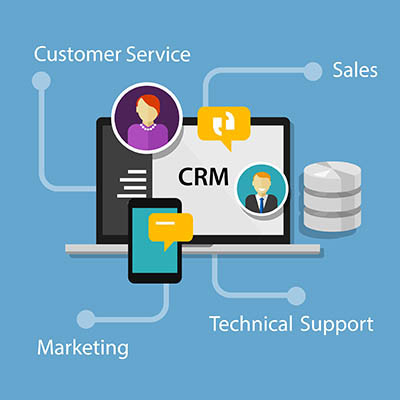
Is your business still relying on a patchwork system of spreadsheets, sticky notes, and emails to manage all of its customer relationships? This type of manual work is not cheaper or more efficient; it only accumulates organizational debt that will eventually come due. Poor customer relationship management results in hundreds of hours of lost productivity throughout the year, directly translating into lost sales and profits for your business.
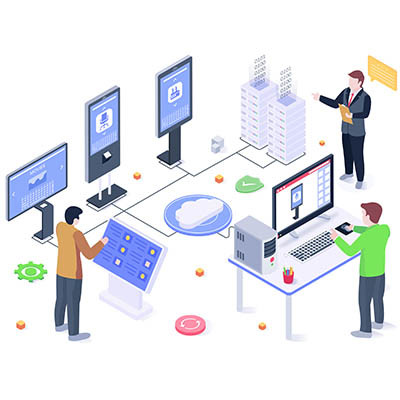
Take a quick walk through your business. When you look at the screens on the walls, what’s actually on them? If it’s a generic weather widget, a “Happy Monday!” slide that’s been up for three weeks, or a “No Signal” box, you aren’t looking at a technology investment.
You’re looking at a $10,000 screensaver.

There are two types of digital transformation. There’s the kind that streamlines a business into a powerhouse, and there’s the kind that turns into a ghost ship; perfectly automated, technically efficient, and completely devoid of life. Right now, we are witnessing a massive shift in the way people do things. While your competitors are busy bragging about replacing their support staff with agentic AI, what they are often doing is building a wall between themselves and their customers.

There are a lot of different ways to manage your time for IT, the most common one being 70 percent of your time on maintenance and 30 percent on innovation and development. If you want your business to grow, you need to invert those numbers and do the exact opposite. There’s one simple way you can change up your approach, and it’s not nearly as complicated as you might think.

Do you know what one of the most frustrating budgetary issues you run into is? One I’ve heard about quite a bit is the rush to spend every allocated cent in the IT budget before these funds are redistributed to other departments.
While the instinct is understandable, we want to reinforce that you should never make IT purchases solely to meet a spending benchmark. Instead, all invested funds should be directed so that you see returns.

The holiday season can be a busy (and lucrative) time for businesses, but that’s only if your network can handle the increased traffic. A network that buckles under the weight of more traffic than usual can cost you in sales. How do you address this issue so you don’t miss opportunities to make money?
You can start with these five fixes.

Did you know that, in physics, regardless of how much time, sweat, and energy you put into pushing a boulder, if it doesn’t move, the “work done” is seen as zero? The same is true in business… at the end of the day, your investment in your organization and its people is only worthwhile if you see results.
So, you need to ask yourself: how much work are your team members actually getting done? Are they moving the boulder, or are they just trying a lot but not actually making any progress? Let’s examine what often leads to this kind of stagnant struggle and how you can fix it.
Customer Login
News & Updates
Agile Networks is proud to announce the launch of our new website at www.agilenetworksllc.com. The goal of the new website is to make it easier for our existing clients to submit and manage support requests, and provide more information about our services for ...
Contact Us
Learn more about what Agile Networks can do for your business.
Agile Networks
705B Moore Industrial Park
Prospect Park, Pennsylvania 19076